01
Swipe. Tap. Settle in.
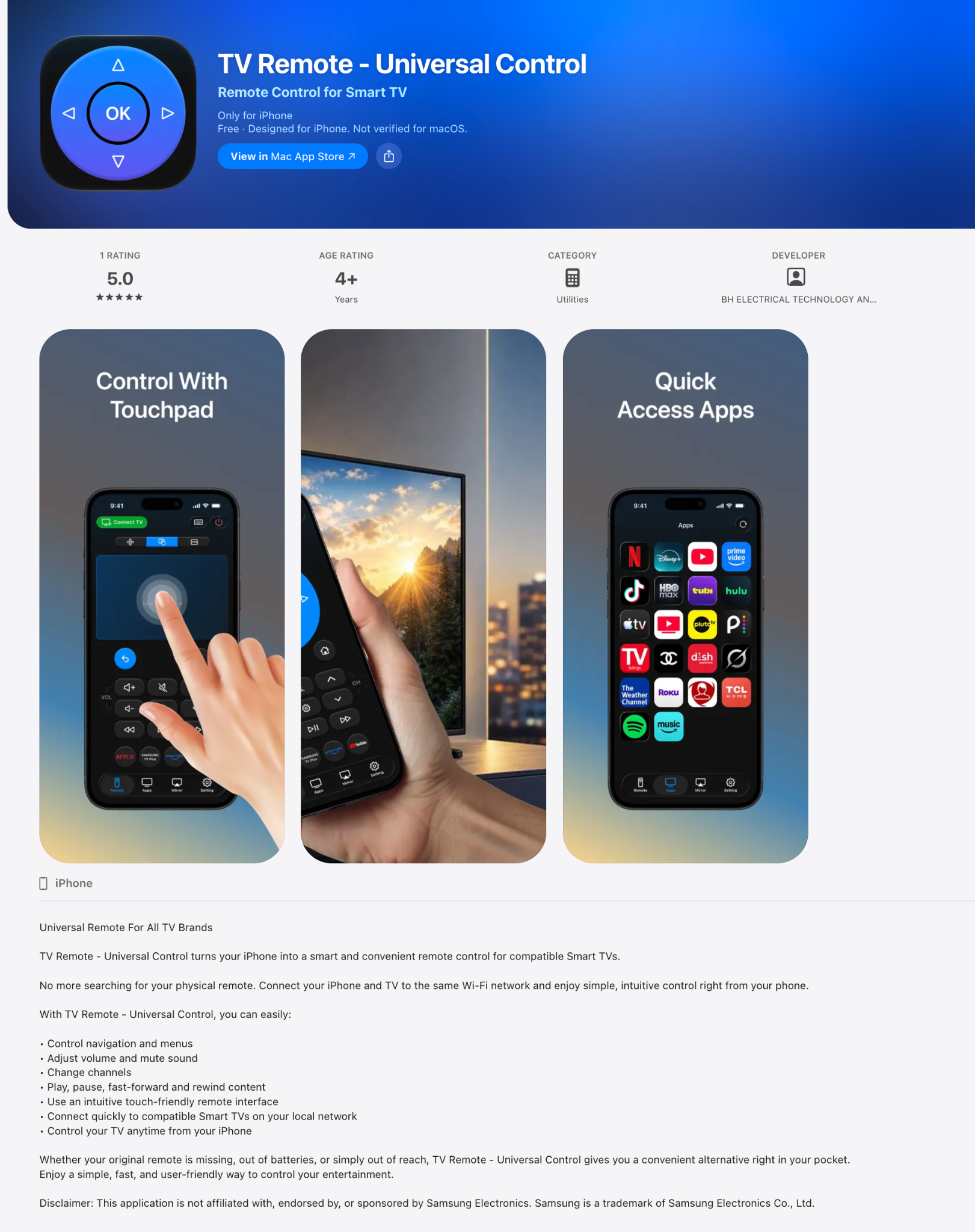
Move through your TV’s menus with an intuitive, touch-friendly interface.
TV RemoteUNIVERSAL CONTROLGet the appYOUR IPHONE. YOUR NEW REMOTE.
Your favorite seat. Your favorite show. Your TV controls, right on your iPhone.
Meet the everyday remote for your compatible Smart TV.
Download on theApp StoreFAMILIAR CONTROLS. A SMARTER PLACE.
From finding something to watch to finding just the right volume. Keep the essentials close.
Move through your TV’s menus with an intuitive, touch-friendly interface.
Adjust the volume, change channels, pause, play, fast-forward and rewind.
Access your TV apps from one convenient place on your iPhone.
LESS SETUP. MORE SOFA.
Connect your iPhone and compatible Smart TV to the same Wi-Fi network to get started.
Find TV Remote on the App StoreDownload TV Remote — Universal Control on your iPhone.
Make sure your iPhone and TV are connected to the same local network.
Open the app, connect to a compatible TV and follow any pairing prompts.
A FEW GOOD QUESTIONS
An iPhone, a compatible Smart TV, and a shared Wi-Fi network. Download the app and connect to your TV from your iPhone.
The app works with compatible Smart TVs. Compatibility and available controls can vary by TV model. Check the App Store listing and try connecting to your TV in the app.
Yes. Connect both devices to the same Wi-Fi network so the app can find and connect to your compatible TV.
Navigate menus, adjust volume, mute sound, change channels, and use playback controls. Touchpad navigation and quick app access make everyday control convenient. Available functions depend on your TV.
No. TV Remote — Universal Control is an independent app. It is not affiliated with, endorsed by, or sponsored by Samsung Electronics. Other product names and trademarks belong to their respective owners.
YOUR NEXT NIGHT IN, UPGRADED.
For iPhone · Compatible Smart TVs · Same Wi-Fi